| View previous topic :: View next topic |
| Author |
Message |
LucisPictor


Joined: 26 Feb 2007
Posts: 17633
Location: Oberhessen, Germany / Maidstone ('95-'96)
Expire: 2013-12-03
|
 Posted: Thu Jun 17, 2010 2:40 pm Post subject: |
|
Posted: Thu Jun 17, 2010 2:40 pm Post subject: |
|
|
LucisPictor wrote:
| vulko wrote: |
| I've tried Allien Skin, nice plug-in. Has lots of presets, some are very usefull, like cross-processed film. |
I have tried Alien Skin but never could see any advantage in it, really - too extreme for my taste.
_________________
Personal forum activity on pause every now and again (due to job obligations)!
Carsten, former Moderator 
Things ON SALE
Carsten = "KAPCTEH" = "Karusutenu" | T-shirt?.........................My photos from Emilia: http://www.schouler.net/emilia/emilia2011.html
My gear: http://retrocameracs.wordpress.com/ausrustung/
Old list: http://forum.mflenses.com/viewtopic.php?t=65 (Not up-to-date, sorry!) | http://www.lucispictor.de | http://www.alensaweek.wordpress.com |
http://www.retrocamera.de |
|
| Back to top |
|
 |
lulalake


Joined: 22 Apr 2007
Posts: 1191
Location: Near Austin Texas
Expire: 2011-11-18
|
Posted: Thu Jun 17, 2010 3:14 pm Post subject: |
|
Posted: Thu Jun 17, 2010 3:14 pm Post subject: |
|
|
lulalake wrote:
I think it's an incredible software. Excellent Bill.
Jules |
|
| Back to top |
|
|
Katastrofo
Joined: 26 Feb 2007
Posts: 10405
Location: USA
Expire: 2013-11-19
|
Posted: Fri Jun 18, 2010 12:31 am Post subject: |
|
Posted: Fri Jun 18, 2010 12:31 am Post subject: |
|
|
Katastrofo wrote:
| lulalake wrote: |
I think it's an incredible software. Excellent Bill.
Jules |
Thanks, Jules, love SEP. |
|
| Back to top |
|
|
vulko
|
Posted: Fri Jun 18, 2010 9:57 am Post subject: |
|
Posted: Fri Jun 18, 2010 9:57 am Post subject: |
|
|
vulko wrote:
| LucisPictor wrote: |
| vulko wrote: |
| I've tried Allien Skin, nice plug-in. Has lots of presets, some are very usefull, like cross-processed film. |
I have tried Alien Skin but never could see any advantage in it, really - too extreme for my taste. |
It creates a separate layer with adjustments made, so u can try changing opacity and layer mix options and get a valuable result. I've just tried presets so far, but it's quite enough for me. |
|
| Back to top |
|
|
LucisPictor
Joined: 26 Feb 2007
Posts: 17633
Location: Oberhessen, Germany / Maidstone ('95-'96)
Expire: 2013-12-03
|
Posted: Fri Jun 18, 2010 10:46 am Post subject: |
|
Posted: Fri Jun 18, 2010 10:46 am Post subject: |
|
|
LucisPictor wrote:
| vulko wrote: |
| LucisPictor wrote: |
| vulko wrote: |
| I've tried Allien Skin, nice plug-in. Has lots of presets, some are very usefull, like cross-processed film. |
I have tried Alien Skin but never could see any advantage in it, really - too extreme for my taste. |
It creates a separate layer with adjustments made, so u can try changing opacity and layer mix options and get a valuable result. I've just tried presets so far, but it's quite enough for me. |
It's good that you like it, that you have found your filters.
BTW, for those who want to play around with b&w in a very easy way, try "Virtual Photographer". It's free and a lot of fun.
_________________
Personal forum activity on pause every now and again (due to job obligations)!
Carsten, former Moderator
Things ON SALE
Carsten = "KAPCTEH" = "Karusutenu" | T-shirt?.........................My photos from Emilia: http://www.schouler.net/emilia/emilia2011.html
My gear: http://retrocameracs.wordpress.com/ausrustung/
Old list: http://forum.mflenses.com/viewtopic.php?t=65 (Not up-to-date, sorry!) | http://www.lucispictor.de | http://www.alensaweek.wordpress.com |
http://www.retrocamera.de |
|
| Back to top |
|
|
hexi

Joined: 01 Jul 2009
Posts: 1631
Location: France
Expire: 2011-11-18
|
Posted: Sun Jun 27, 2010 10:02 am Post subject: |
|
Posted: Sun Jun 27, 2010 10:02 am Post subject: |
|
|
hexi wrote:
i think i'll give it a try seeing the great results. Which program do i need ? PS or lightroom is enough ? thanx
_________________
Happy owner and user of :
SLR's > Contax Aria - RX
DSLR > Canon 5D
Lenses : C/Y Planar 1.4/50 - Distagon 2.8/35 - Planar 1.4/85
http://www.flickr.com/photos/sonnar85 |
|
| Back to top |
|
|
Katastrofo
Joined: 26 Feb 2007
Posts: 10405
Location: USA
Expire: 2013-11-19
|
Posted: Mon Jun 28, 2010 10:22 pm Post subject: |
|
Posted: Mon Jun 28, 2010 10:22 pm Post subject: |
|
|
Katastrofo wrote:
Hexi, the software file loads into Photoshop quite readily, dunno about LR,
but imagine it would be the same. Loads as a plug-in to Adobe software. |
|
| Back to top |
|
|
hexi
Joined: 01 Jul 2009
Posts: 1631
Location: France
Expire: 2011-11-18
|
Posted: Tue Jun 29, 2010 8:52 am Post subject: |
|
Posted: Tue Jun 29, 2010 8:52 am Post subject: |
|
|
hexi wrote:
thanx mister
I'm trying out lightroom these days, it's great but a bit hard to learn, nonetheless there are many possibilities, and i think i won't usethem all 
if one has an idea if efex can be applmed with Lightroom and how to proceed ( which folder ) it'll be much appreciated, thanx
_________________
Happy owner and user of :
SLR's > Contax Aria - RX
DSLR > Canon 5D
Lenses : C/Y Planar 1.4/50 - Distagon 2.8/35 - Planar 1.4/85
http://www.flickr.com/photos/sonnar85 |
|
| Back to top |
|
|
hexi
Joined: 01 Jul 2009
Posts: 1631
Location: France
Expire: 2011-11-18
|
Posted: Sun Jul 24, 2011 7:30 am Post subject: |
|
Posted: Sun Jul 24, 2011 7:30 am Post subject: |
|
|
hexi wrote:
Up for this one : )
So i'm using this program again ( my computer HD crashed some months ago ... after a loooong one year use :s ) ok.
i find it a fantastic tool, very easy to use, and quite close, actually some people are unable to spot the difference when printed , they often ask : is it film or digital.
I've done prints yesterday, and the results are amazing. Firstly i was a bit against this kind of programs, thinking that film and only film can lead to good grain, but changer of mind is sometimes good, and i think that with time, i may slowly turn into a digital freak 
_________________
Happy owner and user of :
SLR's > Contax Aria - RX
DSLR > Canon 5D
Lenses : C/Y Planar 1.4/50 - Distagon 2.8/35 - Planar 1.4/85
http://www.flickr.com/photos/sonnar85 |
|
| Back to top |
|
|
Katastrofo
Joined: 26 Feb 2007
Posts: 10405
Location: USA
Expire: 2013-11-19
|
Posted: Sun Jul 24, 2011 8:17 am Post subject: |
|
Posted: Sun Jul 24, 2011 8:17 am Post subject: |
|
|
Katastrofo wrote:
| hexi wrote: |
| and i think that with time, i may slowly turn into a digital freak |
Hexi, when that truly happens, send me your Contax Aria, as you will have
no further use for it.  |
|
| Back to top |
|
|
hexi
Joined: 01 Jul 2009
Posts: 1631
Location: France
Expire: 2011-11-18
|
Posted: Sun Jul 24, 2011 5:52 pm Post subject: |
|
Posted: Sun Jul 24, 2011 5:52 pm Post subject: |
|
|
hexi wrote:
Noted sir ! you'll be the first on my list : )
_________________
Happy owner and user of :
SLR's > Contax Aria - RX
DSLR > Canon 5D
Lenses : C/Y Planar 1.4/50 - Distagon 2.8/35 - Planar 1.4/85
http://www.flickr.com/photos/sonnar85 |
|
| Back to top |
|
|
Alternate Internet ID


Joined: 30 Mar 2011
Posts: 253
Location: UK
|
Posted: Thu Nov 17, 2011 6:41 pm Post subject: |
|
Posted: Thu Nov 17, 2011 6:41 pm Post subject: |
|
|
Alternate Internet ID wrote:
BW Styler does pretty much the same as Nik (if not more) for a quarter of the price.
http://thepluginsite.com/products/photowiz/bwstyler/index.htm
_________________
“Most things in life are moments of pleasure and a lifetime of embarrassment; photography is a moment of embarrassment and a lifetime of pleasure.”
Tony Benn
--------------------------------------------------------------------------------------------------------------------------------
Sigma: Macro HSM 2.8-4/17-70mm
Sigma: 1.4/50mm EX DG HSM
Samsung: 3.5-5.6/20-50mm
Samsung: 2/30mm
CZJ: MC Flektogon 2.4/35mm
Tamron SP: 2.5/90mm
Helios 44M: 2/58mm
Canon FL: 1.4/50mm
|
|
| Back to top |
|
|
iangreenhalgh1

Joined: 18 Mar 2011
Posts: 15679
Expire: 2014-01-07
|
|
| Back to top |
|
|
kds315*

Joined: 12 Mar 2008
Posts: 16902
Location: Kehl, Germany
Expire: 2021-03-09
|
Posted: Sun Nov 20, 2011 12:30 pm Post subject: |
|
Posted: Sun Nov 20, 2011 12:30 pm Post subject: |
|
|
kds315* wrote:
Not so sure it works well with your HDR images. Looks just too artificial in my opinion.
_________________
Klaus - Admin
"S'il vient a point, me souviendra" [Thomas Bohier (1460-1523)]
http://www.macrolenses.de for macro and special lens info
http://www.pbase.com/kds315/uv_photos for UV Images and lens/filter info
https://www.flickr.com/photos/kds315/albums my albums using various lenses
http://photographyoftheinvisibleworld.blogspot.com/ my UV BLOG
http://www.travelmeetsfood.com/blog Food + Travel BLOG
https://galeriafotografia.com Architecture + Drone photography
Currently most FAV lens(es):
X80QF f3.2/80mm
Hypergon f11/26mm
ELCAN UV f5.6/52mm
Zeiss UV-Planar f4/60mm
Zeiss UV-Planar f2/62mm
Lomo Уфар-12 f2.5/41mm
Lomo Зуфар-2 f4.0/350mm
Lomo ZIKAR-1A f1.2/100mm
Nikon UV Nikkor f4.5/105mm
Zeiss UV-Sonnar f4.3/105mm
CERCO UV-VIS-NIR f1.8/45mm
CERCO UV-VIS-NIR f4.1/94mm
CERCO UV-VIS-NIR f2.8/100mm
Steinheil Quarzobjektiv f1.8/50mm
Pentax Quartz Takumar f3.5/85mm
Carl Zeiss Jena UV-Objektiv f4/60mm
NYE OPTICAL Lyman-Alpha II f1.1/90mm
NYE OPTICAL Lyman-Alpha I f2.8/200mm
COASTAL OPTICS f4/60mm UV-VIS-IR Apo
COASTAL OPTICS f4.5/105mm UV-Micro-Apo
Pentax Ultra-Achromatic Takumar f4.5/85mm
Pentax Ultra-Achromatic Takumar f5.6/300mm
Rodenstock UV-Rodagon f5.6/60mm + 105mm + 150mm
|
|
| Back to top |
|
|
Arkku

Joined: 28 Feb 2007
Posts: 1416
Location: Helsinki, Finland
|
Posted: Sun Nov 20, 2011 12:42 pm Post subject: |
|
Posted: Sun Nov 20, 2011 12:42 pm Post subject: |
|
|
Arkku wrote:
Yeah, doesn't look at all like film due to the HDR processing, so the film simulation feels very much out of place. I would suggest just doing your own B&W conversion (e.g., channel mixer). |
|
| Back to top |
|
|
iangreenhalgh1
Joined: 18 Mar 2011
Posts: 15679
Expire: 2014-01-07
|
Posted: Sun Nov 20, 2011 1:56 pm Post subject: |
|
Posted: Sun Nov 20, 2011 1:56 pm Post subject: |
|
|
iangreenhalgh1 wrote:
I don't want to simulate film, that's not the point at all. You guys really don't like HDR do you...
_________________
I don't care who designed it, who made it or what country it comes from - I just enjoy using it! |
|
| Back to top |
|
|
Arkku
Joined: 28 Feb 2007
Posts: 1416
Location: Helsinki, Finland
|
Posted: Sun Nov 20, 2011 2:07 pm Post subject: |
|
Posted: Sun Nov 20, 2011 2:07 pm Post subject: |
|
|
Arkku wrote:
| iangreenhalgh1 wrote: |
| I don't want to simulate film, that's not the point at all. You guys really don't like HDR do you... |
No, I generally don't like HDR at all. That's not at issue, though, or the point I was trying to make.
My point above was that since the B&W conversion you've applied looks like it's trying to simulate film, and your pictures look completely unlike film, it clashes. So I would suggest you apply a different B&W conversion that does not look like it's trying to simulate film (which should be fine, as you do not want to simulate film in the first place =). |
|
| Back to top |
|
|
hexi
Joined: 01 Jul 2009
Posts: 1631
Location: France
Expire: 2011-11-18
|
Posted: Sun Nov 20, 2011 2:35 pm Post subject: |
|
Posted: Sun Nov 20, 2011 2:35 pm Post subject: |
|
|
hexi wrote:
First i though it was kind of infrared :s ... anyway to each its own.
Is this Ireland ? ( at least the 2 last )
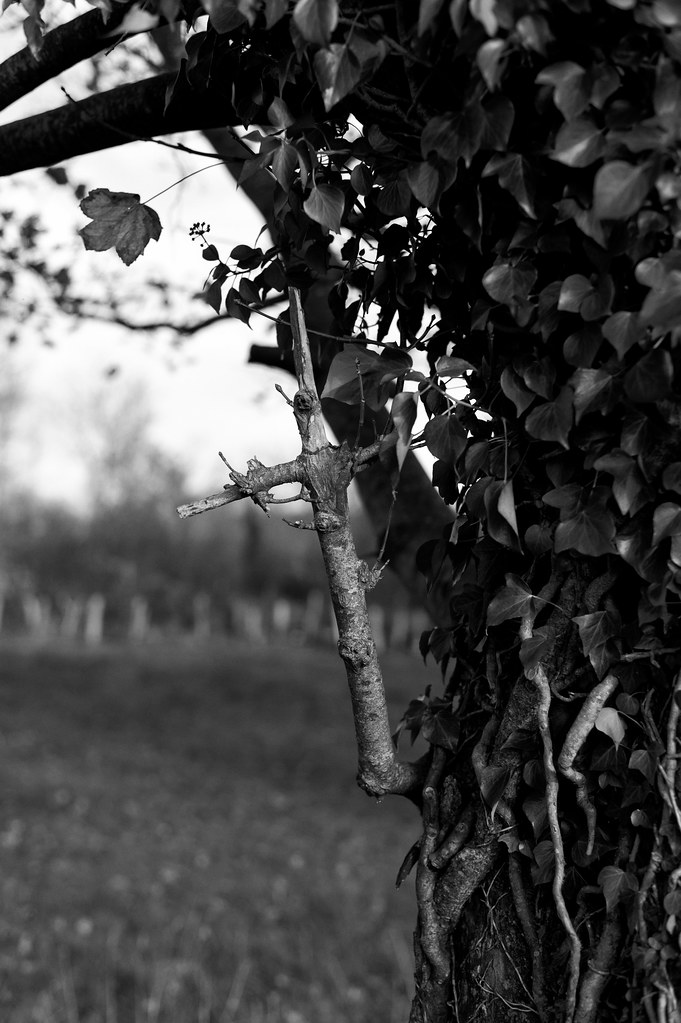
By the way i've found "structure" a great tool. Must be used with precautions, though i've never pushed it to the max.
here's another conversion done lately.
For technical infos, it's taken on Neutral mode with the D700, no sharpening. Added some blacks, and about 30 amount of structure. Film reproduced is Fuji Acros 100. Now you know all : )
by the way is it possible to have this thread stickied or whatever , only to post SE converted pix ? thanks
_________________
Happy owner and user of :
SLR's > Contax Aria - RX
DSLR > Canon 5D
Lenses : C/Y Planar 1.4/50 - Distagon 2.8/35 - Planar 1.4/85
http://www.flickr.com/photos/sonnar85 |
|
| Back to top |
|
|
iangreenhalgh1
Joined: 18 Mar 2011
Posts: 15679
Expire: 2014-01-07
|
Posted: Sun Nov 20, 2011 3:22 pm Post subject: |
|
Posted: Sun Nov 20, 2011 3:22 pm Post subject: |
|
|
iangreenhalgh1 wrote:
I understand your point Arkku.
Not Ireland, NW England, Cumbria, just across the Irish Sea from N. Ireland.
_________________
I don't care who designed it, who made it or what country it comes from - I just enjoy using it! |
|
| Back to top |
|
|
hexi
Joined: 01 Jul 2009
Posts: 1631
Location: France
Expire: 2011-11-18
|
Posted: Sun Nov 20, 2011 8:43 pm Post subject: |
|
Posted: Sun Nov 20, 2011 8:43 pm Post subject: |
|
|
hexi wrote:
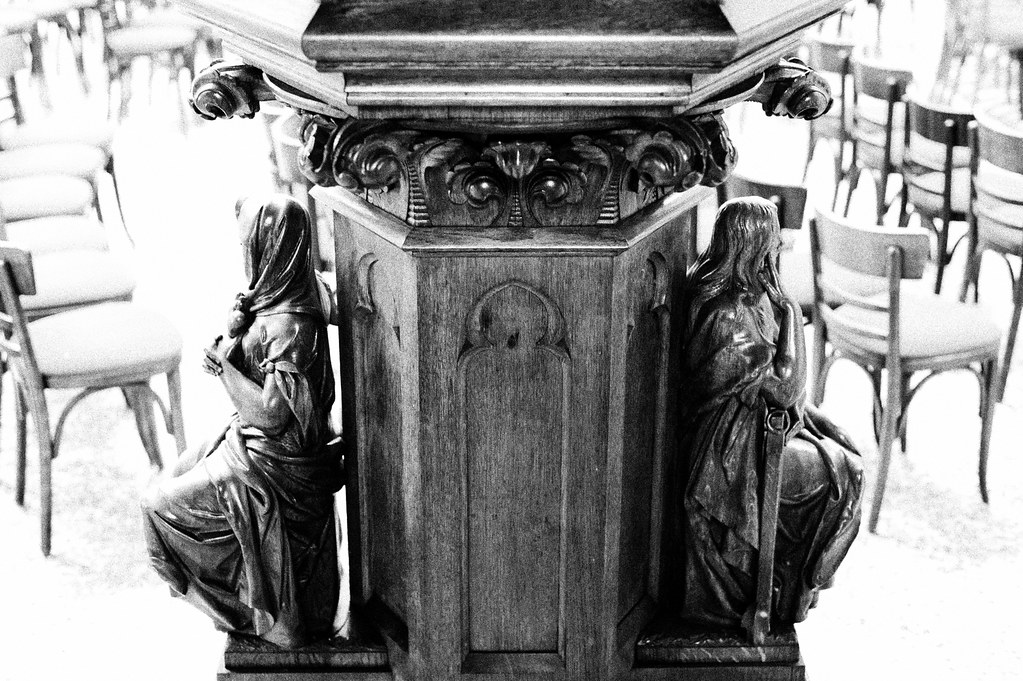
Ok thanks for the info. i'm asking this because i've been to Ireland lately and the places on the pic i mentioned looked very similar.
Here goes another one. I had tough times with this due to dark vs quite clear background. Original pic is @ 3200 iso : )
_________________
Happy owner and user of :
SLR's > Contax Aria - RX
DSLR > Canon 5D
Lenses : C/Y Planar 1.4/50 - Distagon 2.8/35 - Planar 1.4/85
http://www.flickr.com/photos/sonnar85 |
|
| Back to top |
|
|
Attila

Joined: 24 Feb 2007
Posts: 57978
Expire: 2025-11-18
|
Posted: Sun Nov 20, 2011 9:07 pm Post subject: |
|
Posted: Sun Nov 20, 2011 9:07 pm Post subject: |
|
|
Attila wrote:
Perfect! I like this style very much, black and white! not gray and gray... |
|
| Back to top |
|
|
ForenSeil

Joined: 15 Apr 2011
Posts: 2731
Location: Kappeln, Schleswig-Holstein, Germany.
|
Posted: Wed Nov 23, 2011 3:10 pm Post subject: |
|
Posted: Wed Nov 23, 2011 3:10 pm Post subject: |
|
|
ForenSeil wrote:
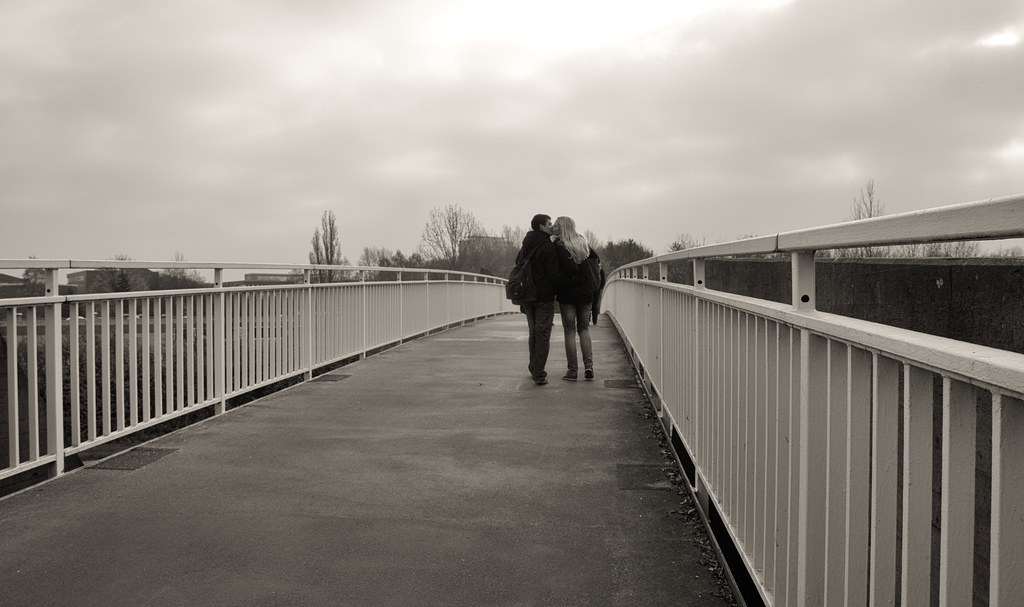
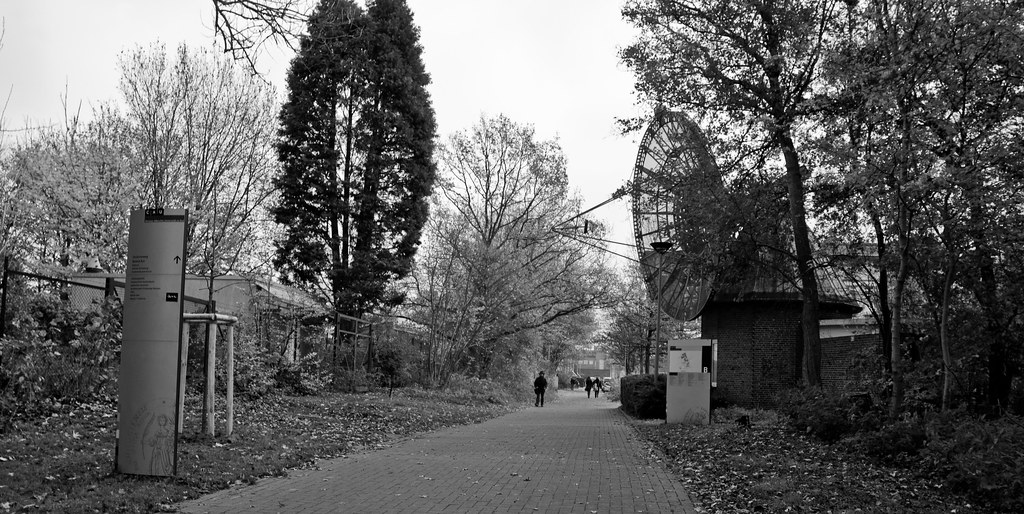
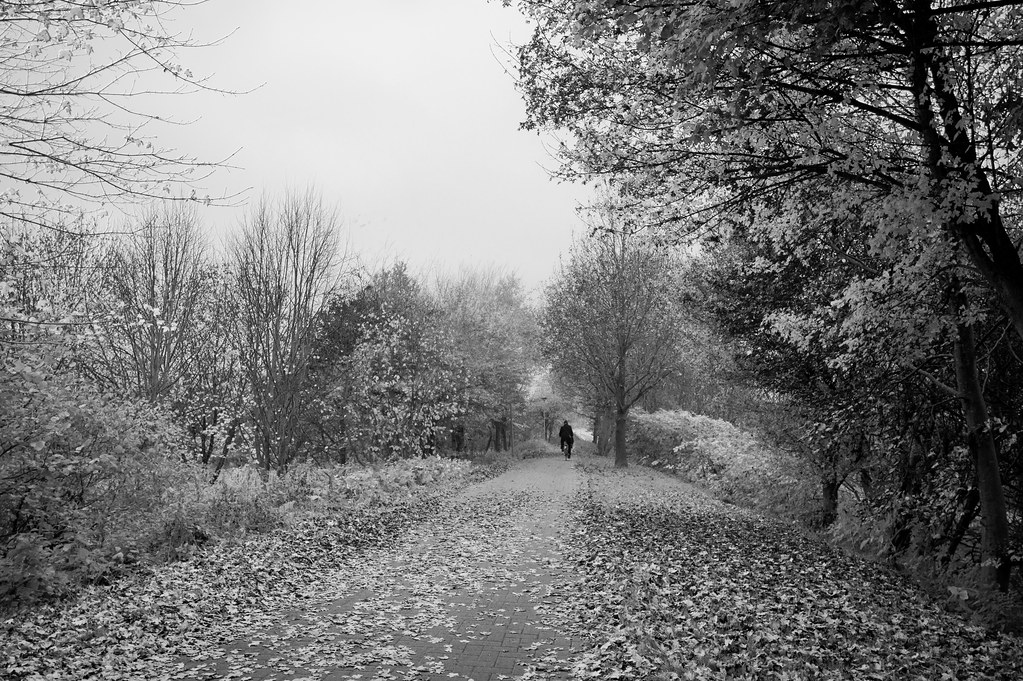
I also love Silver Efex in Lightroom
Much better than the original Lightroom B/W conversion filter
_________________
I'm not a collector, I'm a tester
My camera: Sony A7+Zeiss Sonnar 55/1.8
Current favourite lenses (I have many more):
A few macro-Tominons, Samyang 12/2.8, Noritsu 50.7/9.5, Rodagon 105/5.6 on bellows, Samyang 135/2, Celestron C8 2000mm F10
Most wanted: Samyang 24/1.4, Laowa 100/2.8 2x, Nikon 200/2 ED |
|
| Back to top |
|
|
hexi
Joined: 01 Jul 2009
Posts: 1631
Location: France
Expire: 2011-11-18
|
Posted: Wed Nov 23, 2011 9:38 pm Post subject: |
|
Posted: Wed Nov 23, 2011 9:38 pm Post subject: |
|
|
hexi wrote:
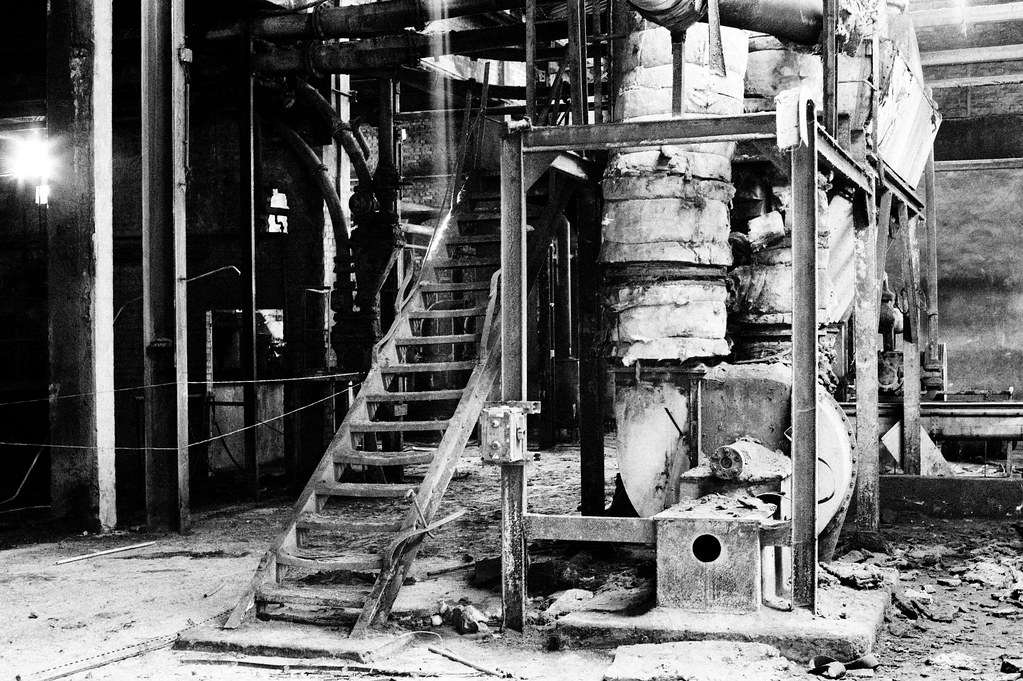
Brilliant results ! I particulary like the mood and composition of the first pic. can you give more infos on this conversion settings ?
Here goes another one : )
_________________
Happy owner and user of :
SLR's > Contax Aria - RX
DSLR > Canon 5D
Lenses : C/Y Planar 1.4/50 - Distagon 2.8/35 - Planar 1.4/85
http://www.flickr.com/photos/sonnar85 |
|
| Back to top |
|
|
atomstitcher


Joined: 26 Nov 2011
Posts: 67
Location: Oxford, England
|
Posted: Wed Nov 30, 2011 10:05 pm Post subject: |
|
Posted: Wed Nov 30, 2011 10:05 pm Post subject: |
|
|
atomstitcher wrote:
It's a superb piece of software, especially since they added the new sub-sliders in version 2 (dynamic brightness, etc). Here's one of my efforts with it.
 |
|
| Back to top |
|
|
hexi
Joined: 01 Jul 2009
Posts: 1631
Location: France
Expire: 2011-11-18
|
Posted: Sun Dec 04, 2011 7:11 pm Post subject: |
|
Posted: Sun Dec 04, 2011 7:11 pm Post subject: |
|
|
hexi wrote:
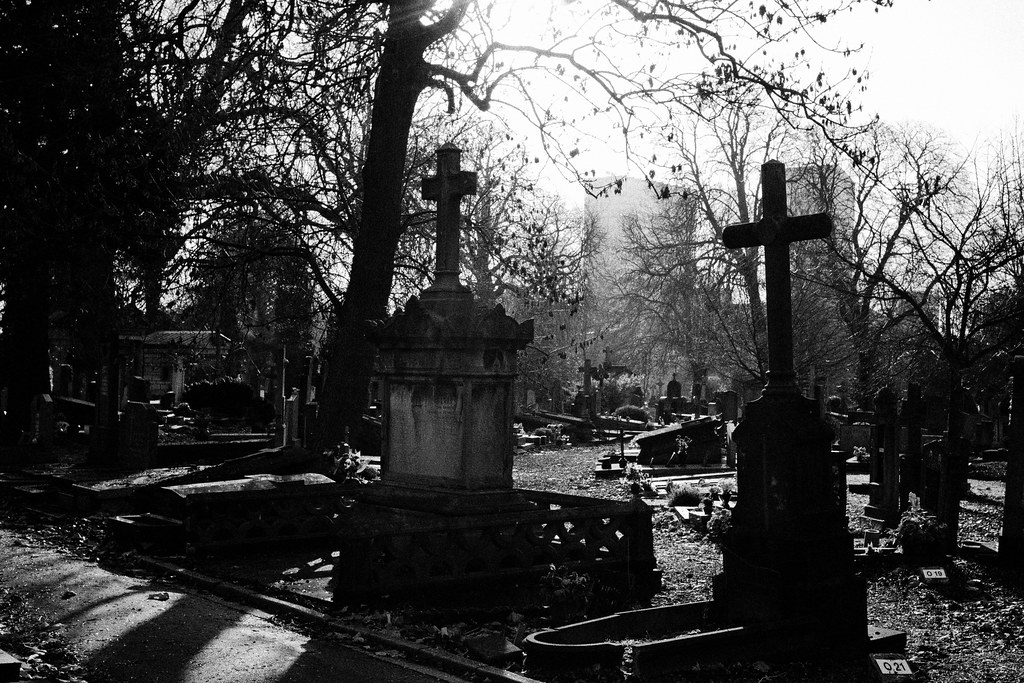
It's a brilliant picture mister, fine b&w .
_________________
Happy owner and user of :
SLR's > Contax Aria - RX
DSLR > Canon 5D
Lenses : C/Y Planar 1.4/50 - Distagon 2.8/35 - Planar 1.4/85
http://www.flickr.com/photos/sonnar85 |
|
| Back to top |
|
|
|
|